Case study, UX research, 6 weeks

Research concept, requires security testing

Mnemonic Passwords. Security designed for human memory.

Strong passwords are difficult to remember, while memorable passwords are often weak. I studied working memory and password behavior, then designed a system that pairs secure credentials with visual mnemonic cues.

  • UX
  • Research
  • UI
  • Figma
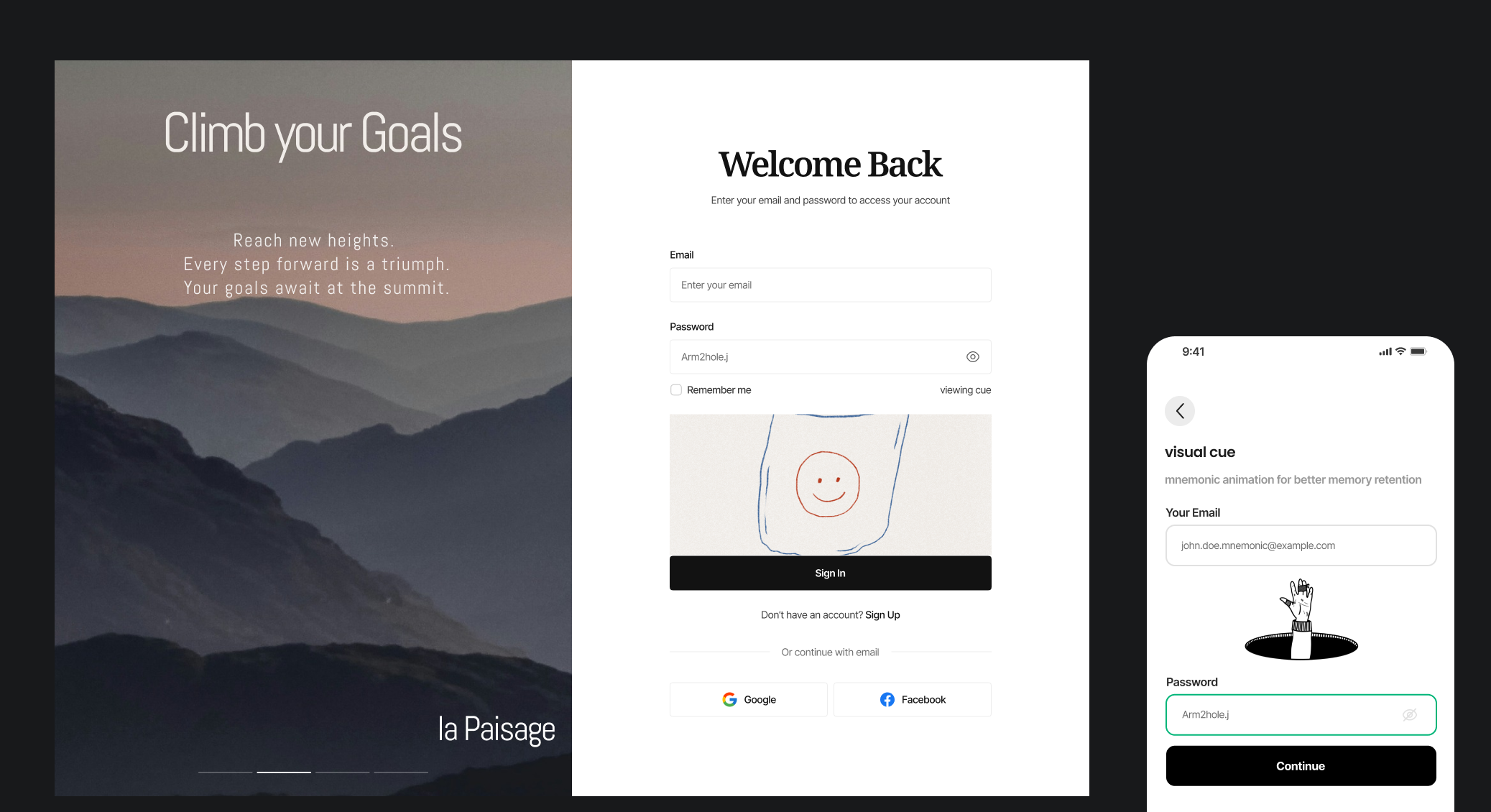
Mnemonic Passwords concept pairing visual cues with password recall
Role
Researcher + designer
Duration
6 weeks
Methods
Literature + market research
Output
Flow + UI concept

The work

Retrieval cues designed around cognitive limits

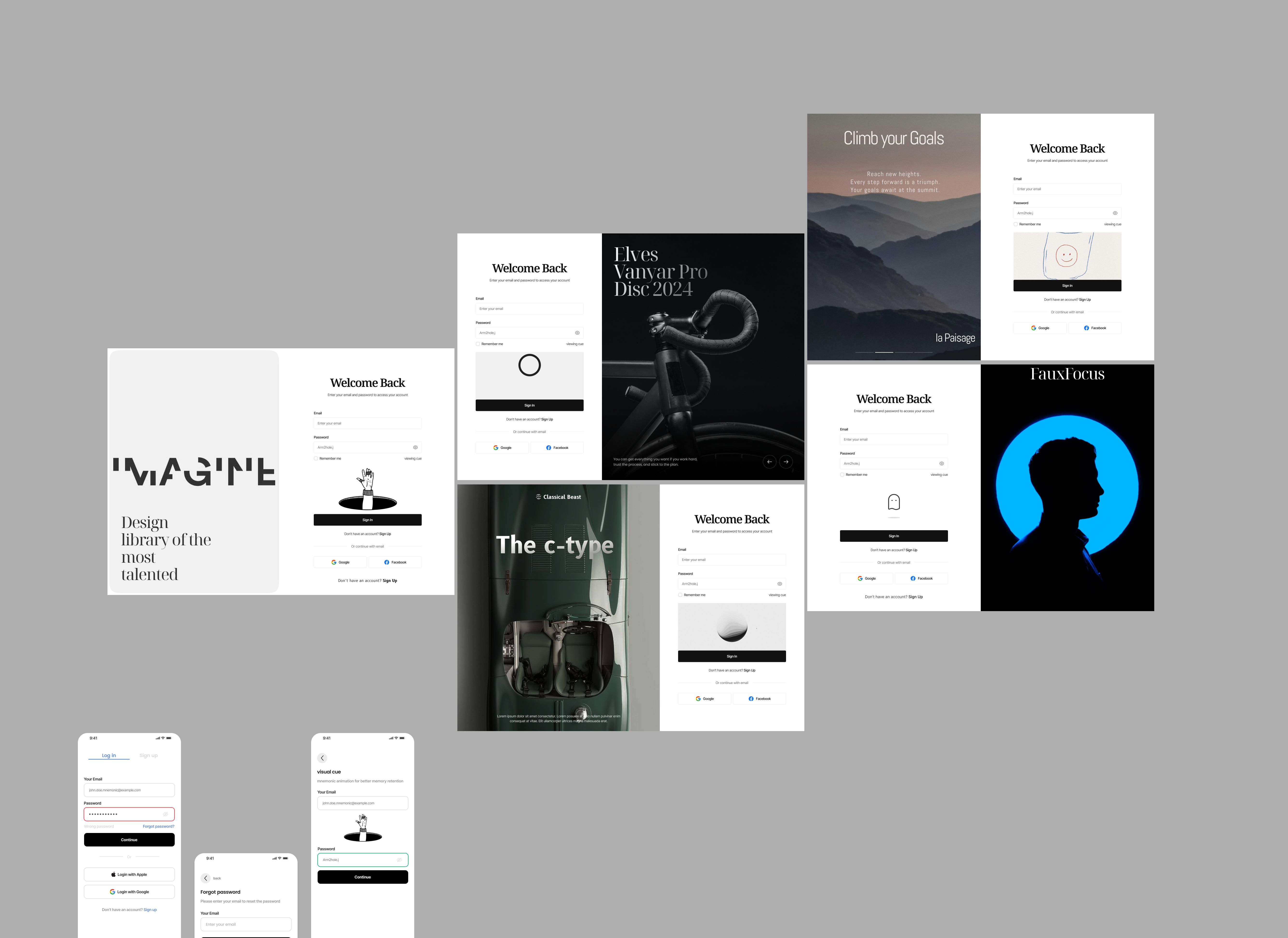
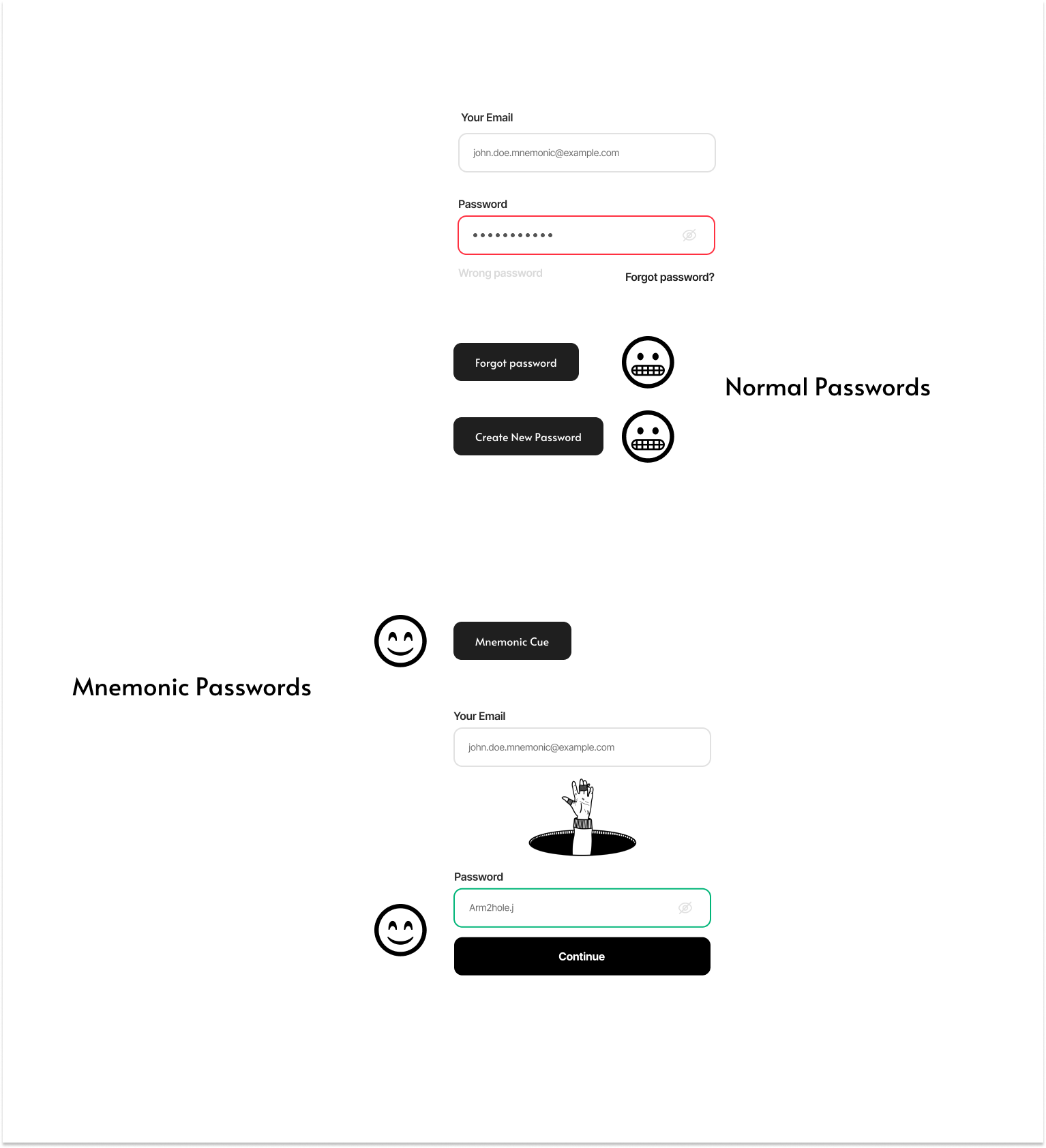
Mnemonic Passwords cognitive research and password retrieval flow

Problem

Password rules ask memory to do the wrong job.

People accumulate more accounts than working memory can comfortably manage. Complex rules increase security on paper, but they also encourage resets, reuse, and simpler patterns when recall fails.

The design question was: how might we apply cognitive-psychology principles to create strong, memorable passwords, reduce resets, and improve the experience?

Research frame

Separate password storage from the moment of recall.

The project combined foundational memory research, a survey of password behavior across age and education, user profiles, and a review of four established password managers.

Account fatigue

Users surveyed juggle dozens of online services, making full memorization of distinct complex strings cognitively impossible.

Risky workarounds

When memory fails, users resort to dangerous habits: password reuse, simplified variations, or unencrypted physical notes.

Retrieval hypothesis

Pairing secure credentials with personalized visual anchors can trigger recall without revealing or storing plaintext passwords.

Artifacts

Research translated into a recall flow.

These frames show the bridge from cognitive research to a visual-cue interface in Figma, not a production-ready security claim.

Mnemonic Passwords flow overview
End-to-end conceptFlow
Mnemonic Passwords research artifact
Research synthesisArtifact 01
Mnemonic Passwords interface concept
Interface conceptArtifact 02
Mnemonic Passwords recall screen
Recall momentArtifact 03

Research

Start with cognition, then draw the interface.

Working memory

I reviewed short-term, long-term, and sensory memory to understand why arbitrary combinations disappear under cognitive load.

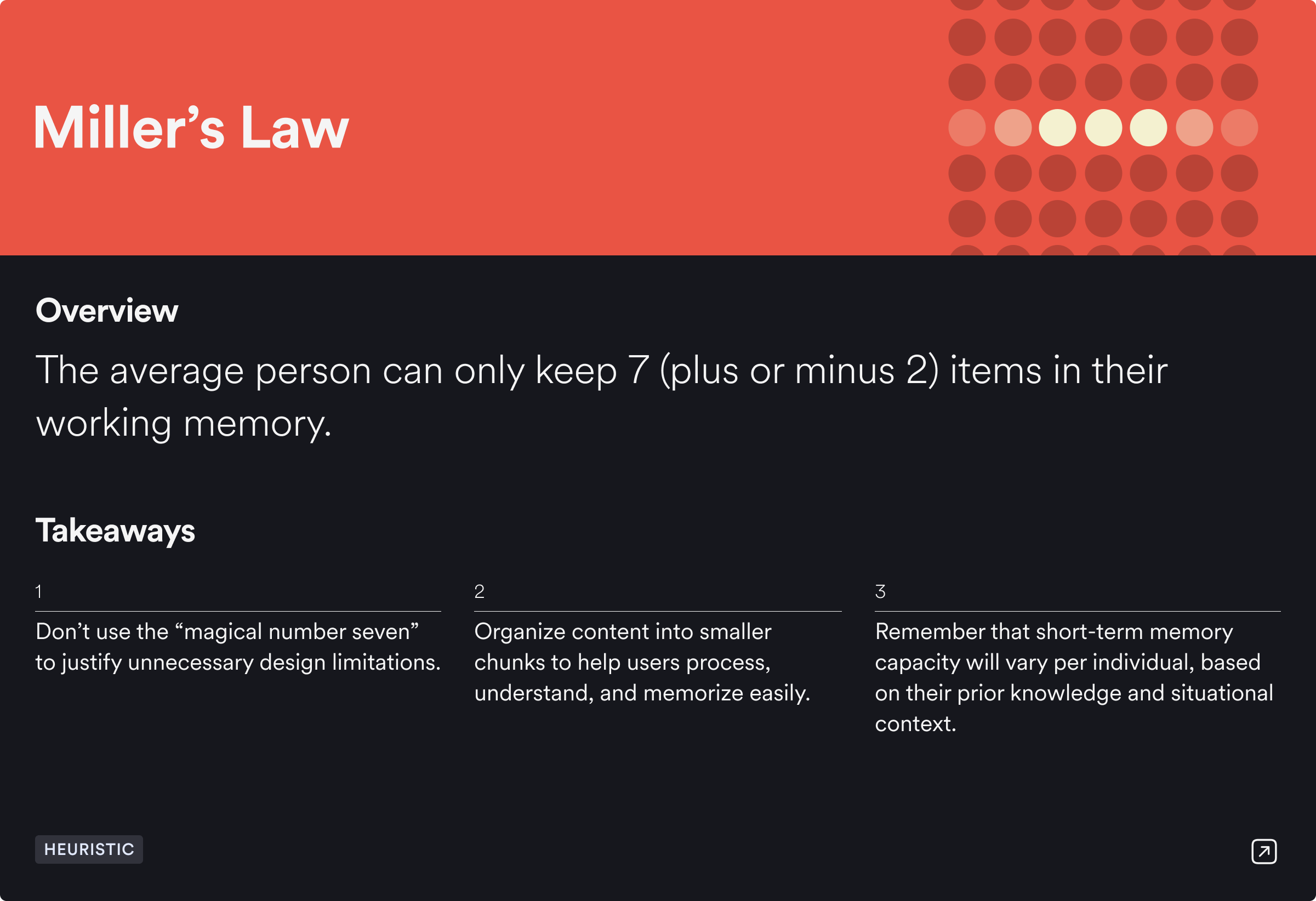
Miller's Law

The familiar "seven, plus or minus two" model became a prompt to group information and reduce what users must actively hold.

Recognition vs. recall

Cognitive psychology shows humans recognize visual stimuli far faster than recalling abstract alphanumeric strings from scratch.

Manager landscape

I evaluated 1Password, LastPass, Dashlane, and Bitwarden to identify where conventional password vaults still leave users stranded at login.

Design response

A cue for recall, not another reset.

The concept introduces a recognizable visual cue alongside the sign-in flow. The cue is meant to help retrieval without displaying the password itself, while the system still supports generated credentials and conventional recovery.

Reflection

Design around human capability, not ideal behavior.

This project changed the problem from "make people remember better" to "make the system require less unsupported recall." The next step would be controlled testing to determine whether visual cues improve retrieval without creating predictable security patterns.

Next

Next Step

Student support from school to first job.

Next case All work